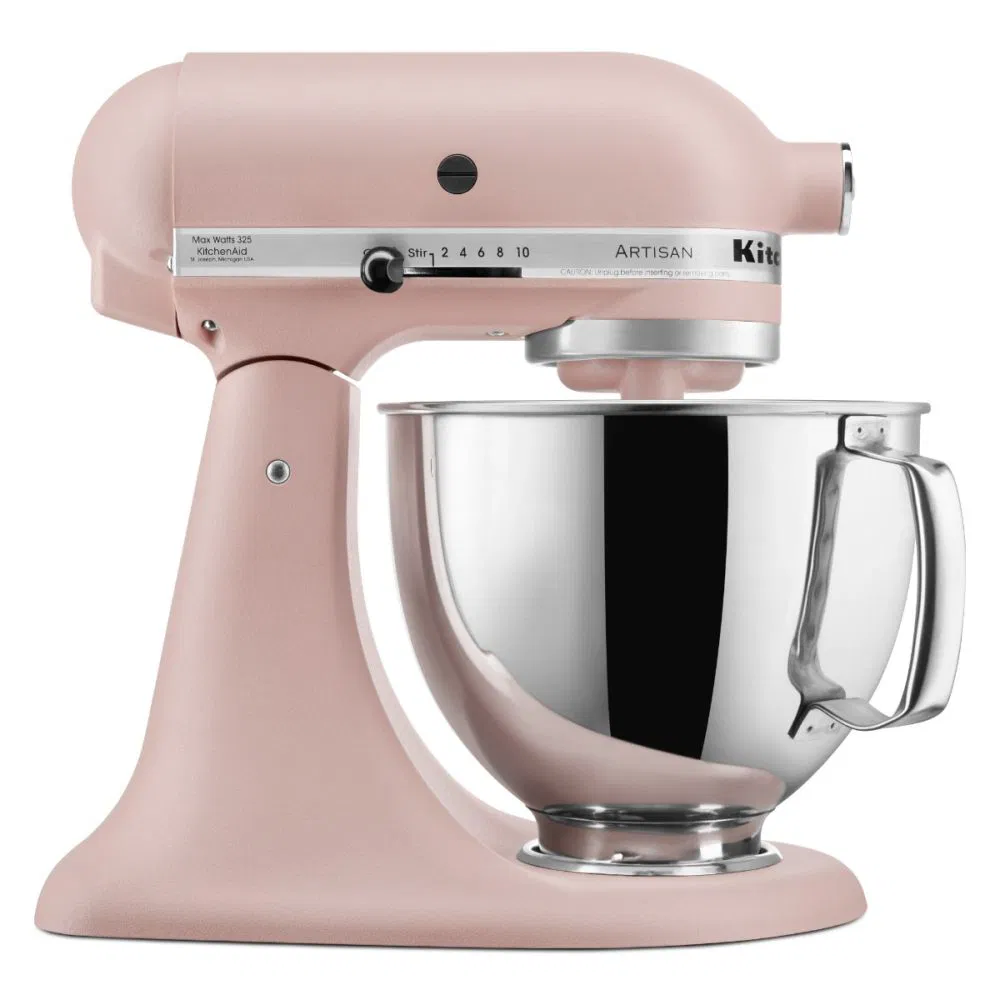
We’ve all been there. You’ve just whipped up the most glorious meringue or kneaded a perfect brioche dough. You’re feeling like a culinary champion, ready to move on to the next step, but there’s a problem. The mixing bowl is stuck. It won’t budge. Suddenly, your kitchen masterpiece is being held hostage by your trusty kitchen appliance. Don’t panic! Learning How To Remove Bowl From Stand Mixer when it’s being stubborn is a rite of passage for every baker. I remember my first stand mixer, a beautiful candy apple red machine that felt like a sports car for my countertop. The first time the bowl got stuck, I nearly wrestled the entire thing off the counter. Luckily, you don’t have to. Let’s walk through why this happens and, more importantly, how to fix it, so you can get back to baking. For a truly seamless process, ensuring your entire machine is in top shape is key; understanding how to clean a stand mixer is an excellent first step in preventing these sticky situations.
Why Does My Stand Mixer Bowl Get Stuck in the First Place?
Before we dive into the solutions, let’s play detective. Why does this frustrating problem even occur? Understanding the root cause can help you prevent it from happening again. Most of the time, it boils down to one of these common culprits.
- Thermal Expansion and Contraction: This is the most frequent offender. If you were mixing cold ingredients (like butter straight from the fridge) or creating friction that warms the bowl (like kneading dense dough), the metal of the bowl and the base can expand or contract at different rates. This tiny change in size is enough to create a super-tight fit.
- The Dreaded Vacuum Seal: Sometimes, moisture or sticky ingredients (hello, sugar syrup!) can create a suction-like seal between the bottom of the bowl and the clamping plate on the mixer’s base. It’s like a mini science experiment you didn’t sign up for.
- Over-tightening: In our enthusiasm to make sure the bowl is secure, it’s easy to give it one extra twist for good measure. Unfortunately, that “good measure” can be the very thing that locks it in place, especially on models with screw-in bases.
- Sticky Residue: A little bit of old batter, flour dust, or grease on the base plate or the bottom of the bowl can act like glue over time, cementing the two parts together.
The Definitive Guide: How to Remove a Bowl From a Stand Mixer
Alright, let’s get that bowl free. We’ll start with the gentlest method and work our way up. Always remember to unplug your stand mixer before attempting any of these techniques! Safety first.
Method 1: The Gentle Persuasion (Twist and Wiggle)
This is your first line of defense. Sometimes, all it needs is the right angle and a little patience.
- Check the Lock: Make sure the mixer head is unlocked and tilted back (for tilt-head models) or the bowl-lift arms are fully in the down position.
- Get a Grip: Place one hand firmly on the mixer’s base or head to stabilize it. Use your other hand to grip the bowl handle.
- The Counter-Clockwise Twist: Most stand mixer bowls (like those from KitchenAid) unlock with a counter-clockwise turn. Try giving it a firm, short twist in that direction. Don’t try to hulk it out in one go.
- Add a Wiggle: If a simple twist doesn’t work, try gently wiggling the bowl from side to side as you apply that counter-clockwise pressure. This can help break any minor seal.
Method 2: Let Science Do the Work (Using Temperature)
If gentle force fails, it’s time to fight physics with physics. We’ll use thermal expansion to our advantage.
As our resident kitchen appliance expert, John Ackerman, notes, “Metal responds predictably to temperature. A little bit of warmth applied to the base plate can cause it to expand just enough—we’re talking micrometers here—to release its grip on a cold bowl.”
Here’s how to do it safely:
- The Warm Towel Wrap: Soak a dish towel in hot (not boiling) water. Wring it out well so it’s damp, not dripping.
- Apply to the Base: Wrap the warm towel around the base of the mixer where the bowl is attached. Leave it on for 10-15 minutes.
- Try Again: Remove the towel and attempt the gentle twist method again. The warmth should have expanded the base just enough to loosen its grip.
Pro-Tip: If you were working with very warm ingredients and suspect the bowl itself has expanded, you can try the reverse: place a bag of ice or a cold compress inside the bowl for a few minutes to make it contract slightly.
Method 3: Break the Seal (Lubrication)
Is a sticky vacuum seal the likely culprit? A little bit of lubricant can work wonders.
- Choose Your Lubricant: A small amount of mineral oil, vegetable oil, or even cooking spray will work.
- Apply Carefully: Using a cotton swab or your finger, apply a tiny bit of oil into the seam where the bottom of the bowl meets the mixer’s base.
- Let it Penetrate: Give the oil a few minutes to seep down into the threads and break the seal.
- Twist and Release: Try the gentle twist and wiggle again. The oil should provide the slip you need to break it free.
Once the bowl is removed, make sure to clean both the bowl and the base thoroughly to remove any oily residue. A shiny, clean bowl is less likely to stick. For those who want to take it a step further, learning how to polish stainless steel stand mixer bowls and accessories can keep them looking and performing like new.
What if My Mixer Seems Sluggish or is Making Noise?
Sometimes, a stuck bowl is a symptom of a machine that needs a little TLC. If you notice your mixer is running rough or making grinding noises, the internal grease might need to be refreshed. While it’s a more involved process, knowing how to lubricate a KitchenAid mixer can extend the life of your appliance significantly. A well-maintained machine is a reliable one.
A Critical Word of Caution: What NOT To Do
In a moment of frustration, it can be tempting to grab tools from the garage. Please resist this urge!
- NEVER use a wrench, pliers, or a hammer. You are far more likely to dent the bowl, damage the locking mechanism, or crack the mixer’s housing than you are to solve the problem.
- NEVER bang the bowl on the counter. This can damage the bowl’s base and the internal workings of your mixer.
- NEVER apply direct heat from a flame or heat gun. This is incredibly dangerous and will permanently damage your appliance.
If a part of your mixer is truly broken, such as the power cord, it’s better to address that specific issue. For the adventurous DIYer, there are safe ways to tackle these problems, and a guide on how to replace a mixer power cord can walk you through it.
Prevention: The Best Solution for a Stuck Mixer Bowl
The easiest way to learn how to remove bowl from stand mixer is to never have to. A few simple habits can save you a world of frustration.
- Don’t Over-tighten: Turn the bowl until it feels secure, then stop. There’s no need to force it.
- Keep it Clean: Regularly wipe down the mixer’s base plate and the bottom of your mixing bowl. A clean, dry surface is far less likely to stick.
- A Touch of Oil: Before placing your bowl on the base, you can wipe a very thin layer of mineral or vegetable oil on the threads of the base plate. This creates a barrier against sticking.
- Let It Rest: If you’ve been kneading a heavy dough for a long time, let the mixer and bowl cool down for a few minutes before you try to remove it.
The world of kitchen gadgets is always evolving. For those interested in the future of baking, exploring the features of a smart stand mixer for connected kitchen shows just how far this essential appliance has come.
Frequently Asked Questions (FAQ)
Why is my KitchenAid mixer bowl so hard to remove?
This is a very common issue, often due to thermal expansion. If you’ve chilled the bowl for whipped cream or kneaded a warm dough, the temperature difference between the stainless steel bowl and the base can cause a tight lock. The warm towel method is usually the most effective fix for this.
Can I use WD-40 or another household lubricant on my mixer?
No, you should never use non-food-safe lubricants like WD-40 on any part of your kitchen appliance that might come into contact with the bowl or food. Stick to food-grade mineral oil or common cooking oils like vegetable or olive oil.
Is it normal for the bowl on my new stand mixer to be tight?
Yes, it can be. The threads on a brand-new mixer and bowl are often very precise and haven’t been “worn in” yet. It should loosen up with regular use. A tiny wipe of food-safe oil on the base plate can help during the break-in period.
How do I properly lock the bowl in place to avoid issues?
For bowl-lift models, ensure the pins on the bowl align with the holes on the lift arms and the rear clip snaps securely. For tilt-head models, place the bowl on the base plate and turn it clockwise gently until you feel it lock into place. It should feel snug, not forced.
What should I do if the bowl seems permanently stuck and none of these methods work?
If you’ve tried all the safe methods above and the bowl absolutely will not budge, it’s time to stop. Forcing it further could cause permanent damage. At this point, it’s best to contact the manufacturer’s customer support or a certified small appliance repair shop for professional help.
Your Partner in the Kitchen, Unstuck
Your stand mixer is arguably the most powerful and versatile tool in your baking arsenal. It’s a workhorse that saves you time and muscle, turning daunting tasks into simple steps. A stuck bowl is just a small, temporary hiccup. By understanding the causes and knowing these simple, safe techniques for how to remove bowl from stand mixer, you’ll be prepared for any sticky situation. Now, go on and get that bowl free—your delicious creation is waiting! What’s the first thing you’re going to bake now that you’re an expert at this?