There’s nothing quite like the gentle, rhythmic hum of a stand mixer at work. It’s the soundtrack to countless happy kitchen memories—whipping up birthday cakes, kneading bread for a Sunday dinner, or creating airy meringues. But what happens when that comforting whir is suddenly replaced by a jarring, unpleasant sound? If your trusted Stand Mixer Is Making A Loud Noise, it’s a sound that can make any baker’s heart sink. Don’t panic. You’ve come to the right place.
Here at Stand Mixer Pro, we live and breathe these incredible kitchen workhorses. I’ve spent years using, testing, and even taking apart these machines to understand what makes them tick. That alarming clanking, grinding, or whining is your mixer’s way of telling you something is wrong. The good news? Many of these issues are surprisingly easy to diagnose and fix right at home. Let’s walk through it together, step-by-step, and get your beloved appliance back to its quiet, powerful self.
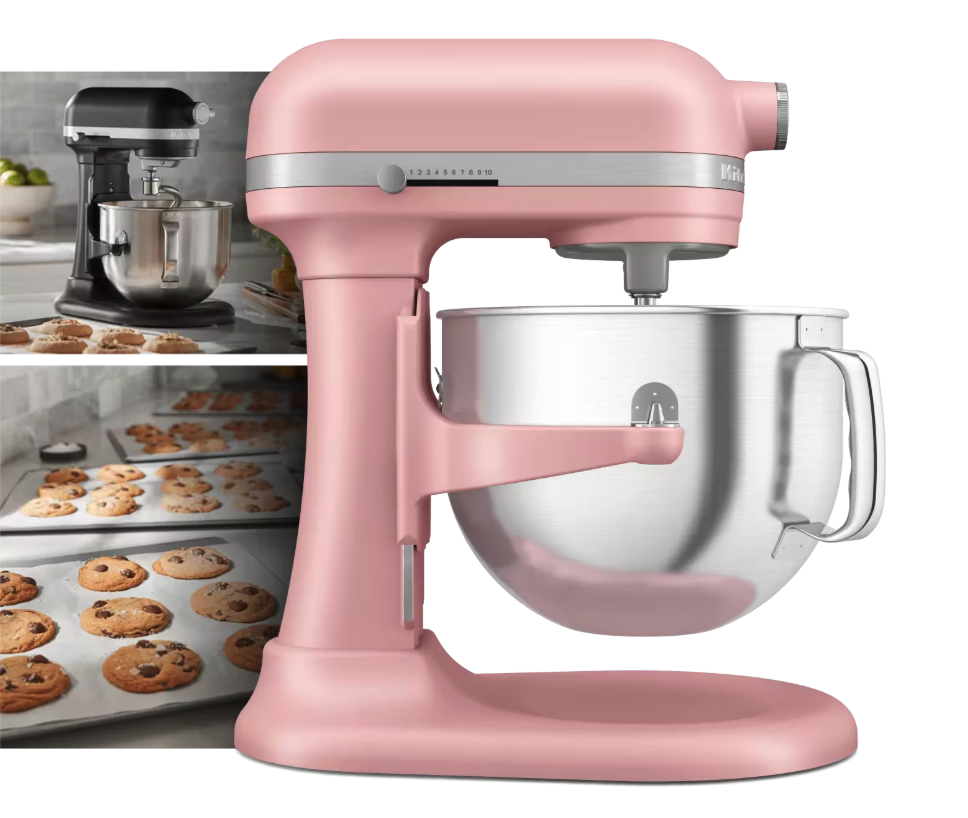
First, Let’s Play Detective: What Kind of Noise Is It?
Before we can find a solution, we need to identify the problem. Different sounds often point to different culprits. Put on your detective hat and listen closely. What exactly do you hear?
Grinding or Crunching Noises
This is the one that sounds the most serious, and for good reason. A deep, metallic grinding often points to an issue with the gears inside the mixer head. Most stand mixers, including many popular KitchenAid models, use a worm gear system. Think of it like the transmission in your car. Over time, or with extremely heavy loads (like a very stiff dough), these gears can wear down or even strip.
According to seasoned appliance technician Maria Jenkins, “A grinding sound is the number one reason mixers come into my shop. It’s often a single worn-out gear that needs replacing. Ignoring it can cause a cascade failure, damaging other parts of the motor.”
Clicking, Ticking, or Banging
A repetitive clicking or banging sound is often less sinister. More often than not, this is a simple mechanical issue. The most common cause is that your beater attachment (the flat beater, dough hook, or whisk) is hitting the side or bottom of the mixing bowl. This is a clearance issue that is usually adjustable. It could also mean the attachment isn’t locked in securely or the bowl isn’t properly seated on the base.
High-Pitched Whining or Squealing
A loud, high-pitched whine that gets worse as you increase the speed often points to the motor itself. This could mean the motor is straining under a heavy load, or it could indicate that the internal lubrication (grease) has broken down or dried out, causing metal components to squeal as they move.
Why Your Stand Mixer is Making a Loud Noise: The Most Common Causes
Now that we’ve identified the sound, let’s connect it to the likely cause. Most loud noises from a stand mixer can be traced back to one of these common problems.
1. Beater-to-Bowl Clearance is Off
This is the prime suspect for any clicking or banging noises. Over time and with use, the height of your mixer’s head can shift slightly. If the beater is too low, it will scrape the bottom of the bowl. If it’s too high, it won’t mix ingredients effectively. Luckily, this is one of the easiest fixes.
How to check it (The Famous “Dime Test”):
- Unplug your mixer.
- Attach your flat beater and lock the mixer head in the down position.
- Place a dime in the bottom of the bowl.
- Turn the mixer on to the lowest speed. The beater should just nudge the dime forward an inch or so with each pass, without forcefully striking it. If it hits the dime hard or misses it completely, you need an adjustment.
2. Worn-Out Gears
This is the likely culprit for that gut-wrenching grinding sound. Many stand mixers are designed with what’s known as a “sacrificial gear.” It’s a single gear, often made of a softer metal or nylon, designed to fail first under extreme stress. This is actually a brilliant piece of engineering, as it protects the more expensive motor from burning out. Replacing one gear is far cheaper than replacing the entire motor. If your stand mixer is making a loud noise that sounds like grinding metal, this is almost certainly the issue.
3. Overloading the Motor
Are you trying to knead a double batch of a very low-hydration dough, like for bagels? I’ve been there. My first stand mixer taught me a valuable lesson about capacity. When you overload your machine, the motor has to work overtime, resulting in a strained, high-pitched whining sound and potential overheating. Always check your user manual for maximum capacity guidelines, especially for flour.
- Pro Tip: When making bread, it’s often better to knead the dough at a low speed (like speed 2 on a KitchenAid) for a longer period than to crank it up to a higher speed. High speeds are for whipping, not for kneading dense dough.
4. Old or Separated Grease
Inside the head of your stand mixer is a significant amount of food-safe grease that keeps all the moving parts of the planetary mixing action running smoothly. Over many years, this grease can dry out or separate. When this happens, you might hear a squealing sound. You might also notice a yellow or brown oily substance leaking from around the beater shaft. This is a sure sign your mixer needs to be cleaned out and re-greased, a task that can be a DIY project for the mechanically inclined or a job for a professional.
Your Step-by-Step Troubleshooting Guide
Ready to get hands-on? Follow this checklist to pinpoint and potentially fix the problem. First and most importantly: UNPLUG YOUR MIXER before you begin any inspection.
- Secure Everything: Check that the mixing bowl is securely locked into the base. Wiggle the beater attachment—is it firmly in place on the shaft? A loose component is a common source of rattling.
- Perform the Dime Test: Follow the steps outlined above to check your beater-to-bowl clearance. If it’s off, look for a small adjustment screw. On most KitchenAid tilt-head models, it’s located on the “neck” right where the head pivots. On bowl-lift models, you’ll need to consult your manual, but the principle is the same. A few small turns with a flathead screwdriver is all it takes.
- Inspect Your Attachments: Remove the beater and check it for any cracks, bends, or warping. A damaged dough hook or flat beater can throw off the balance and cause a loud noise.
- Listen Closely to the Motor: With no attachments on, turn the mixer on to a low speed. Does the motor head still make a loud grinding or whining noise? If the stand mixer is making a loud noise even without an attachment, the problem is internal—likely the gears or motor lubrication.
- Check for Leaks: Look carefully around the planetary hub (the ring that the attachments connect to) and any seams on the mixer head for signs of leaking grease.
When to DIY vs. When to Call a Pro
Many issues can be solved with a simple screwdriver. However, it’s crucial to know your limits to avoid causing more damage.
- You Can Likely DIY: Adjusting beater clearance, securing the bowl, or identifying a damaged attachment.
- Consider Calling a Professional If: You hear a persistent grinding (gear replacement), the motor smells hot or electrical, or you see significant grease leakage. Gear replacement and re-greasing can be complex, messy jobs that require specific parts and tools.
Frequently Asked Questions (FAQ)
Q1: Is it normal for a stand mixer to be loud?
A brand new stand mixer will have a distinct motor sound, a powerful hum that isn’t silent but should be smooth. It’s not normal for it to be excessively loud, clanking, grinding, or rattling. You’ll learn the “normal” sound of your kitchen appliance with use.
Q2: What does a grinding sound mean when my stand mixer is making a loud noise?
A grinding sound almost always indicates a problem with the internal gears. It means metal is rubbing against metal inappropriately, likely due to a worn-out or stripped gear. Stop using the mixer immediately to prevent further damage and seek repair.
Q3: How do I fix a stand mixer beater that’s hitting the bowl?
You can fix this by adjusting the beater-to-bowl clearance. Unplug the mixer, then locate the small adjustment screw on the mixer’s neck or hinge. Turning it slightly clockwise will raise the beater, while turning it counter-clockwise will lower it. Use the “dime test” to find the perfect height.
Q4: Can I replace the gears in my stand mixer myself?
For those with mechanical experience, yes, it’s possible. There are many online tutorials and replacement part kits available. However, it requires disassembling the entire mixer head, cleaning out all the old grease, and reassembling it correctly. If you’re not comfortable with that, a professional repair service is the safer bet.
Q5: My stand mixer is brand new and making a clicking noise. What should I do?
First, check the beater clearance using the dime test, as it may not have been set perfectly at the factory. Also, ensure the bowl and attachment are locked in tight. If the noise persists, contact the manufacturer’s customer service, as it could be a defect covered under warranty.
The Final Word on Noisy Mixers
A stand mixer is the heart of many kitchens, a true investment in your culinary creativity. When that investment starts making strange sounds, it’s understandably concerning. But by methodically diagnosing the type of sound and its likely cause, you can often solve the problem with a simple adjustment.
Remember to treat your machine with care—don’t overload it, use the right attachments for the job, and keep it clean. By listening to what your mixer is telling you, you can address small issues before they become big problems. If troubleshooting reveals that your stand mixer is making a loud noise due to an internal issue, don’t hesitate to seek professional help to keep it running beautifully for years to come.
Have you ever had to troubleshoot a noisy mixer? Share your experience or ask any questions in the comments below! We’re all here to help each other become better bakers and appliance owners.